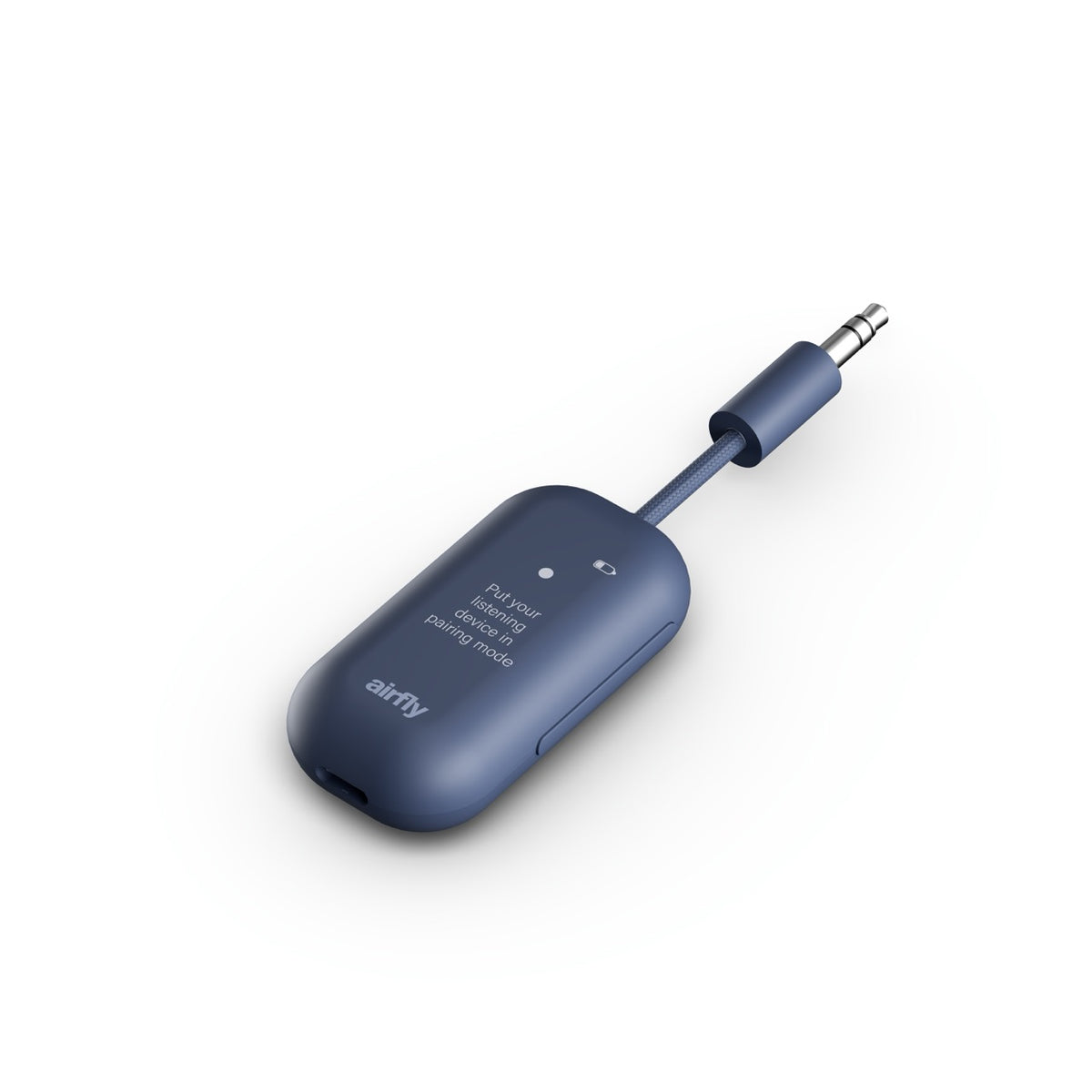
Effortless, wireless experience.
Guided setup.
Dual pairing.
Pair once.
Free shipping on all orders in Australia
Your Cart is Empty
Browse our collections and add
your favourite items to get started!
Free Shipping in Australia
Free shipping on all Australian orders | 30-Day Returns
Couldn't load pickup availability
Connect your Bluetooth headphones to any headphone jack with easy on-screen setup. Comes in 24 languages, with an international adapter and a case.
Compatibility: All Bluetooth wireless headphones, all brands are welcome, including Sony, Bose, Beats and more.
We offer free shipping for all Australian orders. Orders placed before 1pm Sydney time ship the same business day!
We know you’ll love your new product, but if it doesn’t work for you, you can return it within 30 days for any reason.
Orders are processed and fulfilled by our Australian partner Try and Byte Group Pty Ltd (ABN 73 632 271 508).
Our products come with a two-year manufacturer's warranty.

Leave the airline’s wired headphones in the seat pocket. Airfly View connects your own Bluetooth headphones to any standard headphone jack.
Airfly View's screen walks you through setup, then gets out of the way. Up to 16 hours of battery and instructions in 24 languages.
Pair a second set of headphones in seconds and watch the same thing with perfectly synced audio. No splitter, and on-screen volume and mute when you need them.
Airfly View remembers your headphones and reconnects on its own, over a steady Bluetooth 5.3 connection.
Leave the airline’s wired headphones in the seat pocket. Airfly View connects your own Bluetooth headphones to any standard headphone jack.
Airfly View's screen walks you through setup, then gets out of the way. Up to 16 hours of battery and instructions in 24 languages.
Pair a second set of headphones in seconds and watch the same thing with perfectly synced audio. No splitter, and on-screen volume and mute when you need them.
Airfly View remembers your headphones and reconnects on its own, over a steady Bluetooth 5.3 connection.
Airfly View lets you enjoy wireless audio from devices with a 3.5mm headphone jack, including airplane entertainment systems, gym equipment, and more. Like Airfly Pro 2, it connects two sets of Bluetooth headphones and supports both transmitting and receiving audio. The difference? Airfly View features a built-in display that makes pairing, managing connections, and switching modes easier than ever. No more guessing whether your headphones are connected!
Pairing your headphones with Airfly View is simple:
Plug Airfly View into your device's headphone jack, and you're ready to listen wirelessly!
Absolutely! Airfly View allows two people to listen to the same audio source using their own Bluetooth headphones. Perfect for sharing an in-flight movie or listening to music together.
To connect a second pair:
Once connected, both headphone names will appear on Airfly View's display.
Airfly View works in two directions, giving you more ways to enjoy wireless audio.
To switch modes, open Airfly View's Menu, select "Mode," and choose your preferred option. The display will guide you through connecting your device.
Airfly View supports Auracast, a Bluetooth audio broadcasting technology that allows compatible listening devices to receive shared audio.
To use Auracast:
Auracast requires compatible listening devices, so be sure to check your headphones' or speakers' specifications before getting started.
Airfly View works with Bluetooth wireless headphones and earbuds, including Apple AirPods, AirPods Pro, AirPods Max, and
popular options from Bose, Sony, Beats, and more.
Airfly View uses the standard Bluetooth audio profile (A2DP), just like Airfly Pro 2. While some Bluetooth-enabled hearing aids may be compatible, not all hearing aids support this profile. We recommend checking with your hearing aid manufacturer to confirm that your specific model supports A2DP Bluetooth audio before purchasing.
Airfly View's built-in display makes connecting easy by showing available devices and confirming successful connections, taking the guesswork out of pairing!
If you're having trouble connecting, try these quick troubleshooting steps:
Still need help? Visit Twelve South Support and our team will be happy to assist!